

Get quote
Get Free Consultation!
We are ready to answer right now! free consultation.
Email:ttxxkj888@gmail.com
Product Detail
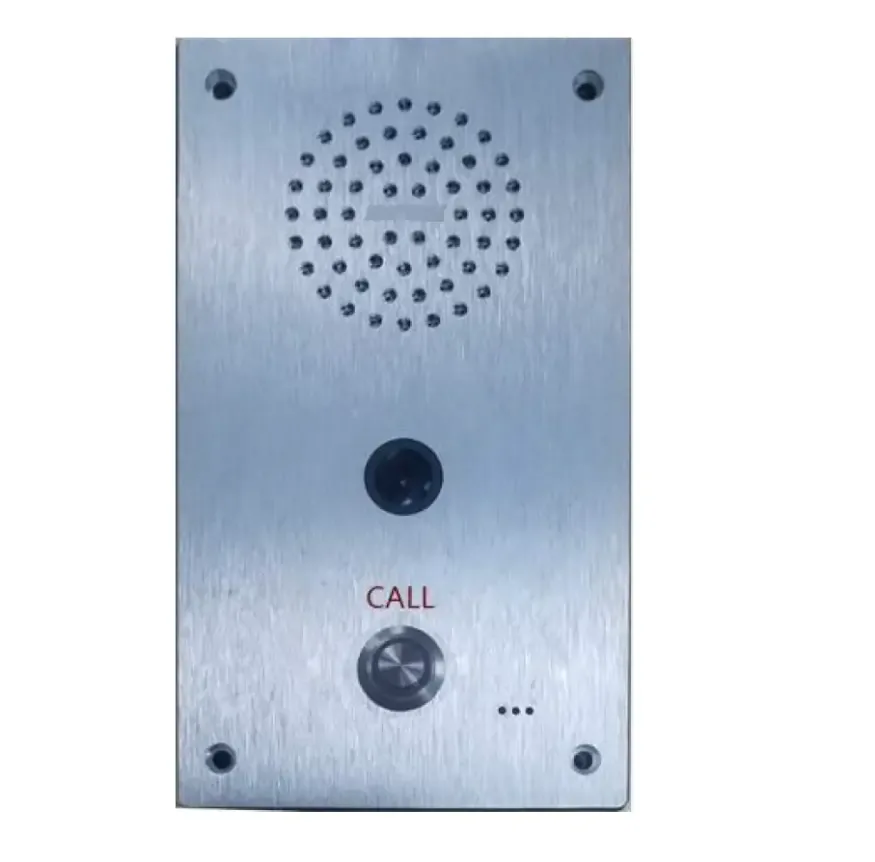
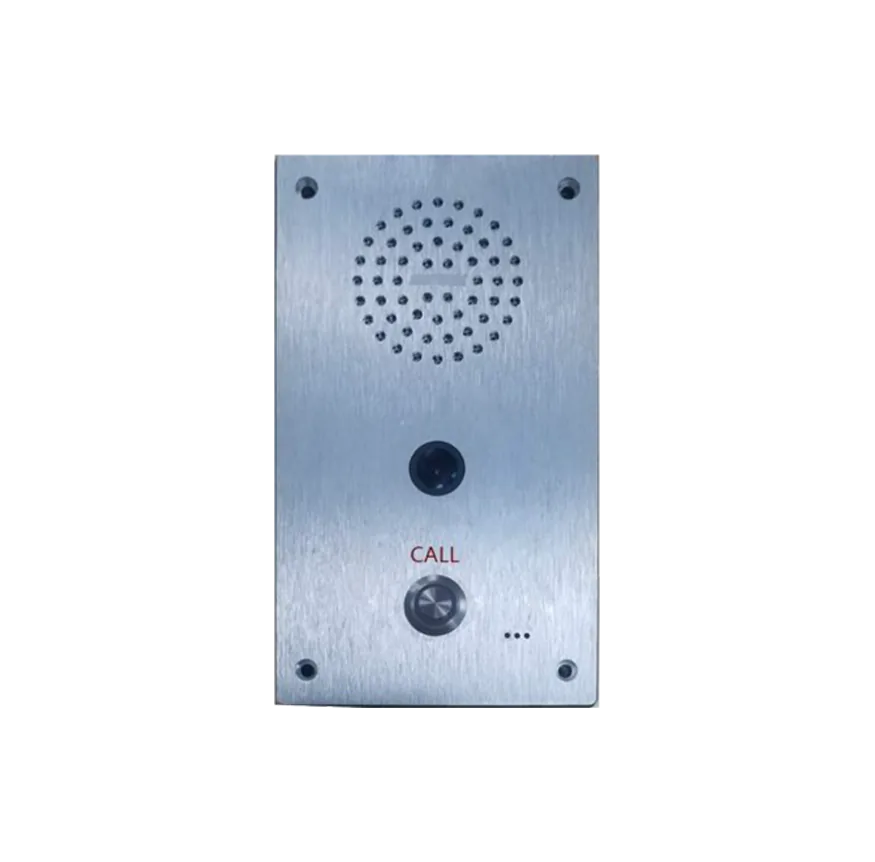
IP video intercom terminal and PoE master station for one-key alarm, two-way talk and smart street light safety systems.
| Item | Specifications |
|---|---|
| Power Supply Input | DC12V/1.5A |
| POE Power Supply | Support PoE IEEE802.3 af |
| Functional Components Interface | Alarm input interface/ Alarm output interface/ network interface/ power supply interface/ recording output interface |
| Network Communication Protocol | TCP/IP, UDP, ARP, ICMP, IGMP, HTTP |
| Camera Wide Angle | 140~160 degree |
| Video Resolution | QVGA/VGA/720P/1080P |
| SNR | Broadcast--Speaker:81dB; Broadcast--Record Output:70dB |
| Frequency Response | 20Hz~18KHz |
IP video intercom terminal and PoE master station for one-key alarm, two-way talk and smart street light safety systems.
IP video intercom terminal and PoE master station for one-key alarm, two-way talk and smart street light safety systems.
IP video intercom terminal and PoE master station for one-key alarm, two-way talk and smart street light safety systems.
IP Video Intercom Terminal
This product is an IP video intercom terminal specially designed for smart street lights, which is the core emergency communication terminal of the urban smart street light safety system. It is widely used in smart street poles, municipal roads, parks, communities and other public areas, providing real-time two-way video intercom, emergency call, audio and video recording, alarm linkage and other functions for passers-by and management personnel.
Embedded with independent intellectual property rights digital network audio technology, the device is equipped with a high-performance camera, emergency call button, built-in speaker and microphone, and supports multiple interface expansions. It can be seamlessly connected to the smart street light IoT gateway and the upper management platform, realizing one-key emergency call initiation, full-duplex hands-free intercom, real-time video monitoring, audio and video synchronous recording and traceability, and alarm linkage control. It provides a reliable emergency communication guarantee for urban public safety, and meets the needs of intelligent emergency disposal and standardized management of smart cities.
All contents in this manual are protected by copyright laws. No organization or individual may copy, tamper with, or reprint all or part of this manual in any form without permission. Our company reserves the right to modify, supplement, interpret, and update this manual at any time without prior notice.
Full metal shell design: Adopts full metal shell, supports hidden installation, which is safe, sturdy, corrosion-resistant and anti-vibration, perfectly adapting to outdoor harsh working conditions of smart street poles.
One-key emergency call: Equipped with a single call button, which can realize one-key emergency call to the designated management terminal, simple and quick operation, suitable for all groups of people.
Full-duplex hands-free intercom: Built-in high-quality speaker and pickup microphone, supporting full-duplex hands-free intercom, clear voice, low noise, and no need for additional operation during communication.
High-performance video collection: The built-in camera has dynamic bandwidth, strong light suppression and weak light compensation functions, which can work normally under weak light and backlight conditions, ensuring clear real-time video transmission during intercom.
Multiple protocol compatibility: Complies with ONVIF protocol, can directly access mainstream NVR and other storage devices, realizing audio and video synchronous recording and traceability for emergency disposal and evidence preservation.
Video traceback function: Supports large-capacity FLASH storage, which can record real-time video on site. When communicating with the central intercom, the central terminal can display the real-time video and historical backtracking video of the terminal.
Offline intercom support: It can realize offline intercom (initiate and receive) without relying on the server, ensuring emergency communication is not interrupted even in network failure.
Alarm linkage control: Equipped with 1 short-circuit output interface to control alarm lights and other equipment; 1 short-circuit input interface to connect external buttons, realizing multi-scenario alarm linkage.
Flexible network access: Supports Ethernet access, can cross network segments and routes, and can be seamlessly integrated into the smart street light network system, realizing centralized management of the platform.
Dual power supply mode: Supports DC12V/1.5A power adapter supply and PoE IEEE802.3 af power supply, flexible and convenient installation, adapting to different on-site power supply conditions.
Customized for smart street poles: Compact size, suitable for installation on smart street poles, does not occupy additional space, and matches the overall style of smart street lights.
High reliability and durability: Industrial-grade design, wide temperature adaptation, can work stably in harsh outdoor environments, with long service life and low failure rate.
Simple installation and maintenance: Standardized interfaces and wiring, complete installation accessories, convenient on-site installation and later maintenance.
Comprehensive safety protection: The full metal shell is anti-vandal, and the internal circuit is designed with anti-short circuit and anti-overload protection, ensuring the safe operation of the equipment.
Seamless platform docking: Adopts standard network communication protocols, which can be seamlessly connected to the smart street light management platform, realizing centralized monitoring, parameter configuration and remote maintenance.
Shell Material: Full metal shell
Overall Dimensions: 100mm × 36mm × 162mm (L×W×H)
Installation Mode: Hidden installation, fixed with M3×12 stainless steel hexagon socket screws
Key Components: Built-in speaker, camera, call button, pickup microphone
Working Environment: -20℃~+60℃, Relative Humidity ≤90%RH (non-condensing)
| Item | Specifications |
|---|---|
| Power Supply Input | DC12V/1.5A |
| POE Power Supply | Support PoE IEEE802.3 af |
| Functional Components Interface | Alarm input interface/ Alarm output interface/ network interface/ power supply interface/ recording output interface |
| Network Communication Protocol | TCP/IP, UDP, ARP, ICMP, IGMP, HTTP |
| Camera Wide Angle | 140~160 degree |
| Video Resolution | QVGA/VGA/720P/1080P |
| SNR | Broadcast--Speaker:81dB; Broadcast--Record Output:70dB |
| Frequency Response | 20Hz~18KHz |
| Audio Delay | ≤200ms |
| Shell Material | Full metal |
| Overall Dimensions | 100×36×162mm (L×W×H) |
| Operating Temperature | -20℃~+60℃ |
| Operating Humidity | ≤90%RH (non-condensing) |
Loudspeaker: Amplifies the remote voice during intercom, ensuring clear listening.
Camera: Collects local real-time video, providing video support for emergency intercom and monitoring.
Calling Button: Press the button to initiate an emergency call to the terminal designated by the server, realizing one-key emergency communication.
Pick-up Microphone: Collects local audio, transmits the caller's voice to the remote terminal, and supports hands-free intercom.
Recording Output Interface (Green): Connects recording equipment to realize synchronous recording of audio and video during intercom.
Alarm Input Interface (Black): Connects external buttons to expand emergency call channels.
Power Supply Input Interface: Connects DC12V/1.5A power adapter or PoE power supply to provide working power for the device.
Alarm Output Interface: Port 1 is the public port of alarm output; Port 2 is the normally closed port of alarm output; Port 3 is the normally open port of alarm output, which can control external alarm equipment such as alarm lights.
Network Interface: Inserts network cable and connects to the switch to realize the terminal's normal login to the server and network communication; supports PoE power supply.
Strictly distinguish the positive and negative poles of the power supply, and use the specified DC12V/1.5A power adapter or PoE power supply, so as to avoid equipment damage caused by wrong power supply.
When wiring the network cable, ensure that the connection is firm, and avoid poor contact which leads to network disconnection and communication failure.
The alarm input and output interfaces must be connected correctly according to the terminal definition, and short circuit is strictly prohibited to avoid damage to the interface circuit.
The wiring of the recording output interface should be away from strong electric wires to avoid electromagnetic interference and ensure the clarity of the recording.
All wiring should be fixed firmly, and waterproof and anti-corrosion treatment should be done for outdoor wiring to adapt to outdoor harsh environment.
Install the terminal in a suitable position on the smart street pole, choose a dry, well-ventilated area without water accumulation and strong electromagnetic interference, and ensure that the call button is easy to press.
Fix the terminal firmly with M3×12 stainless steel hexagon socket screws to avoid equipment loosening or falling caused by outdoor vibration.
During installation, strictly follow the wiring instructions to connect each interface, and check the correctness of the wiring before power on to avoid equipment damage caused by wrong wiring.
Do not open the product shell without permission. There are high-voltage components inside the shell, which may cause electric shock or equipment damage if opened privately.
During use, if smoke, strange smell, water ingress or other abnormalities occur, cut off the power immediately and contact professional personnel for maintenance.
Do not touch the device or power plug during thunderstorms to avoid electric shock.
Regularly check the connection of each interface and the working status of the device, clean the surface dust of the camera and call button, and ensure the normal operation of the device.
If the device is not used for 10 days or more, cut off the power supply and unplug the power plug to avoid potential safety hazards.
Please read this user manual carefully before using the product and follow all operation instructions. Our company will not be liable for any damage caused by misuse of the product due to violation of this manual.
Our company is not liable for equipment failure or abnormal operation caused by improper installation, unauthorized disassembly and modification by non-professionals, wrong wiring, overload use or use of non-specified power supply.
The whole-machine original warranty will become invalid immediately once the product shell is opened privately or the internal circuit is modified.
Damage caused by force majeure including natural disasters, lightning strikes, power grid surges, artificial damage and other factors is not covered by free warranty.
If the product is connected to the Internet, the user shall bear the risks such as network attack, hacker intrusion and virus infection. Our company is not liable for product abnormal operation, information leakage and other problems caused by this, but will provide timely technical support.
For technical support such as protocol docking, platform debugging, on-site maintenance and fault handling, please contact our professional technical team.
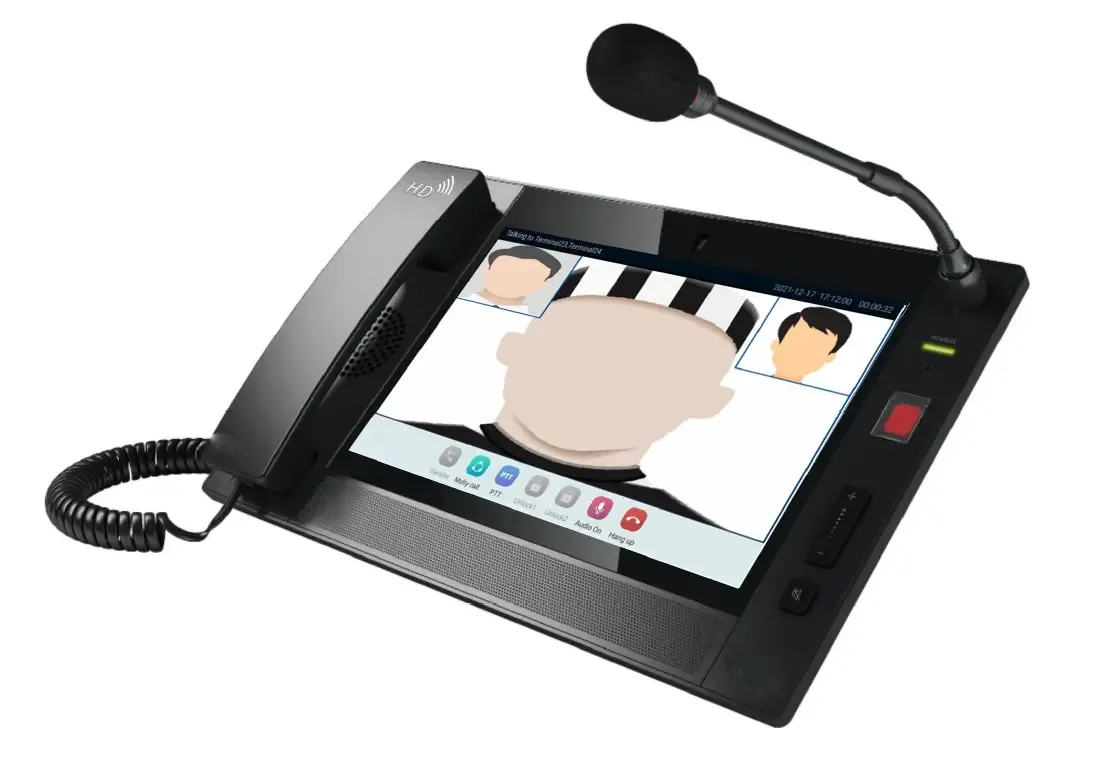
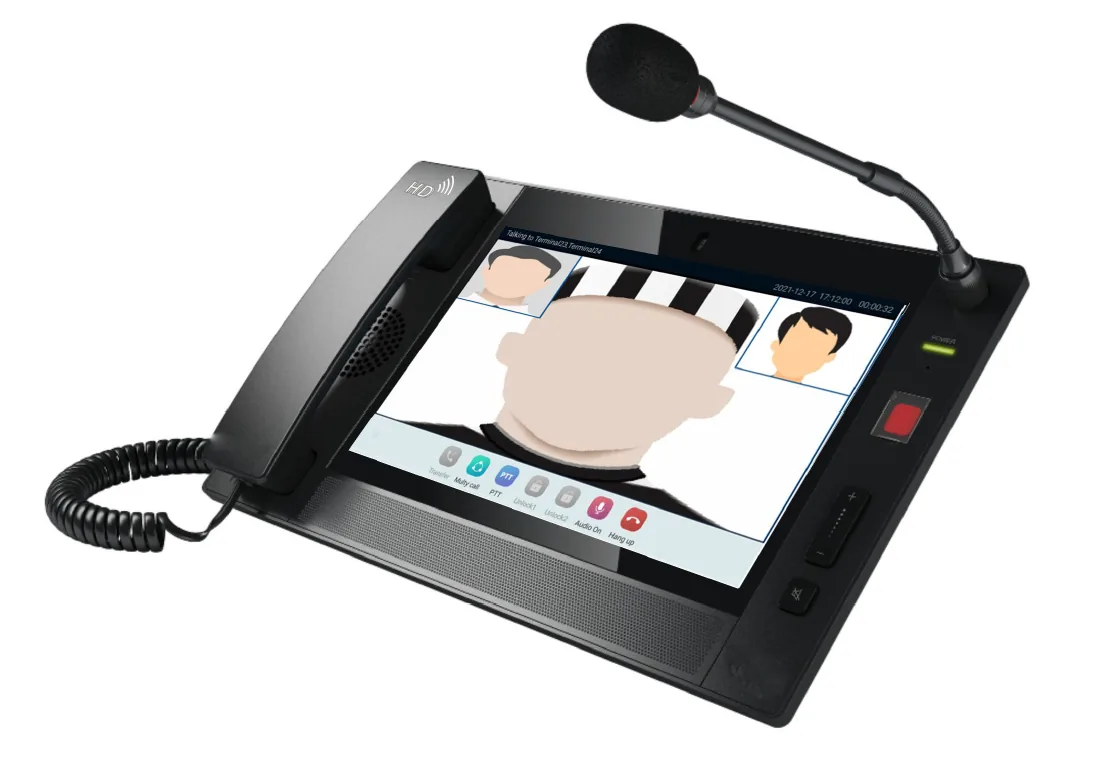
The IP POE Video Intercom Master Station is a core supporting device for smart street light sound columns and alarm systems. It integrates video intercom, emergency broadcast, audio collection, video collection, and alarm linkage functions, and is widely applicable to urban smart street light scenarios. The device supports POE power supply and network connection, can be seamlessly connected to smart street light sound columns, alarm terminals and the central management platform, realizing two-way intercom, one-key emergency broadcast, video monitoring, and alarm input/output linkage. It provides reliable audio-visual intercom and emergency response capabilities for smart street light systems, effectively improving the emergency disposal efficiency and management level of urban road lighting and public security scenarios.
All contents contained in this manual are protected by copyright law. No organization or individual may copy, tamper with or reprint all or part of this manual in any form or by any means. All rights to modify, supplement, interpret and update the contents of this manual without prior notice are reserved.
Dual Power Supply Mode: Supports DC12V/3.3A power supply and PoE IEEE802.3at power supply, flexible adaptation to different on-site power supply conditions, convenient for integration with smart street light power supply systems.
Integrated Audio-Visual Functions: Built-in microphone, loudspeaker and high-definition camera, realizing two-way hands-free intercom, local audio collection and video collection, and supporting clear voice transmission and real-time video monitoring.
Emergency Broadcast Function: One-key emergency broadcast, press the emergency button for 1 second to broadcast to all groups, press again to stop, suitable for emergency notification and public security prompting in street light scenarios.
Rich Interface Configuration: Equipped with network ports, HDMI, USB, handset, line input/output, alarm input/output interfaces, supporting connection with displays, computers, sound columns, alarm terminals and other devices.
Intelligent Status Indication: Working indicator clearly shows device status (red for offline, green for online), facilitating on-site operation and maintenance personnel to check device running status.
Network Compatibility: Supports multiple network protocols, realizes network connection and login to the management server, and supports remote management and data interaction with the smart street light platform.
Easy Installation: Supports optional wall-mounted bracket installation, simple and convenient, suitable for outdoor and indoor installation scenarios of smart street lights.
Adjustable Camera Angle: Equipped with a camera angle adjustment knob, which can flexibly adjust the camera shooting angle to meet different monitoring needs.
High Integration: Integrates intercom, broadcast, video, alarm and other functions in one, reducing the number of on-site devices and simplifying system wiring and management.
Stable Performance: Adopts industrial-grade design, with strong anti-interference ability, suitable for long-term stable operation in urban road complex environments.
Plug-and-Play: Standard network interface and POE power supply, easy to connect with smart street light sound columns, alarm systems and management platforms, reducing on-site construction difficulty.
User-Friendly Operation: Equipped with touch screen for human-machine interaction, with volume control, mute and other buttons, simple and easy to operate, suitable for on-site personnel to use quickly.
Strong Compatibility: Seamlessly compatible with smart street light sound columns, alarm terminals and central management platforms, supporting unified management and linkage control.
Microphone pole socket: Used to insert the microphone pole for collecting audio signals.
Working indicator: Red when offline, green when the device has logged into the server.
Reset interface: Use tweezers to reset the device when necessary.
Emergency broadcast button: Press for 1 second to start broadcasting to all groups, press again to stop broadcasting.
Volume control button: Adjust the output volume of the loudspeaker.
Mute button: Turn on/off the mute function of the device.
Microphones: Collect local intercom audio in hands-free mode.
Loudspeaker: Play back remote and local audio signals.
Camera: Collect local video images for real-time monitoring and video intercom.
Touch-screen: Human-machine interaction interface, used to receive operation commands and display device status.
PC Interface: Connect to a computer or laptop via a network cable for device configuration and management.
Network Interface: Connect to the switch via a network cable to ensure the device can log into the server normally, supporting POE power supply.
HDMI interface: Connect to a display to output video images collected by the camera.
USB interface: Equipped with USB3.0 (upper) and USB2.0 (lower) ports for external storage devices or other USB peripherals.
Handset interface: Connect to the handset for handset intercom.
Line input/output ports: Upper port for line input, lower port for line/recording output, used to connect external audio devices.
Alarm input and output terminals: A, G for alarm input; NO (normally open), COM (common), NC (normally closed) for alarm output, used to connect alarm terminals.
Power Interface: Connect to DC12V/3.3A power adapter for power supply.
SD card slot: Insert SD card for local video and audio storage.
Camera angle adjustment knob: Adjust the shooting angle of the built-in camera.
Installation Mode: Supports optional wall-mounted bracket installation.
Bracket Installation: Fix the bracket to the wall with plastic expansion sleeves and self-tapping screws, then fix the device on the bracket.
Overall Dimension: 337x211x32.7mm
Working Environment: -10℃~50℃, ≤90%RH (No condensation)
| Item | Specifications |
|---|---|
| Power Consumption | DC12V/3.3A or PoE IEEE802.3at, ≤20W |
| Network Protocol | TCP, UDP, ARP, ICMP, IGMP, HTTP, RTP, SIP |
| Network Chip Rate | 10/100Mbps |
| Audio Encoding | MP2/MP3/PCM/ADPCM |
| Audio Sample Rate | 8KHz~48KHz, 16bit/32bit |
| Video Transmission Stream | 512Kb~4096Kb |
| Camera | CMOS 1300W Pixel |
| Built-in Amplifier Power | 3W |
| Line Output Rated Voltage | 1V |
| Total Harmonic Distortion | ≤0.5%, 1kHz |
| SNR | ≥85dB (A) |
| Frequency Response | 22Hz-20KHz |
| Display Screen | TFT 10.2" LCD 1280x800 |
| Language | Chinese/English |
| Interface | 2 RJ45 network ports, 1 alarm input, 1 alarm output, 1 line input, 1 line output, 1 HDMI port, 2 USB ports, 1 handset port |
| Operating Temperature & Humidity | -10℃~50℃, ≤90%RH (No condensation) |
| Size | 337x211x32.7mm |
RJ45 Network Ports (2): One for connecting to a computer (PC Interface) for configuration, and one for connecting to the switch for network access and POE power supply.
HDMI Interface: Connect to an external display to output video images from the built-in camera.
USB Interfaces (2): USB3.0 (upper) for high-speed external devices, USB2.0 (lower) for general external devices.
Handset Interface: Connect to the handset for handset intercom, replacing hands-free mode when needed.
Line Input/Output Ports: Line input (upper) for connecting external audio input devices; line/recording output (lower) for connecting external audio output or recording devices.
Alarm Input/Output Terminals: A and G are alarm input terminals, used to connect external alarm sensors; NO (normally open), COM (common), NC (normally closed) are alarm output terminals, used to connect alarm actuators.
Power Interface: Connect to DC12V/3.3A power adapter for power supply (used when PoE power supply is not available).
SD Card Slot: Insert SD card for local storage of video and audio data.
Network Wiring: Use standard network cables to connect the device to the switch, ensuring stable network communication; the network cable for PoE power supply must meet POE transmission requirements.
Power Wiring: When using DC power supply, ensure the positive and negative poles of the power adapter are correctly connected to avoid device damage; PoE power supply does not require additional power wiring.
Audio Wiring: Line input/output, handset and other audio interfaces should use shielded audio cables to reduce interference and ensure clear audio transmission.
Alarm Wiring: Correctly distinguish alarm input and output terminals, and ensure reliable connection with external alarm devices to avoid alarm failure.
All wiring should be fixed and arranged neatly, with clear labels, facilitating later inspection and maintenance.
Outdoor wiring should be waterproof and moisture-proof, and the interface should be sealed to avoid short circuit caused by water ingress.
The device should be installed in a dry, well-ventilated place, away from strong electromagnetic interference, high temperature and humidity environments.
Wall-mounted installation should use the matching bracket, fix the bracket firmly on the wall with expansion sleeves and self-tapping screws, and then fix the device on the bracket to ensure stable installation.
After installation, adjust the camera angle through the camera angle adjustment knob to ensure the monitoring range meets the on-site needs.
Before power-on, check the wiring to ensure correct connection of all interfaces, no wrong connection or missing connection.
When using POE power supply, ensure the switch supports PoE IEEE802.3at standard; when using DC power supply, use the specified DC12V/3.3A power adapter.
Operate the device according to the touch screen prompts, and familiarize yourself with the functions of each button (emergency broadcast, volume control, mute, etc.) before use.
Regularly check the device status, including working indicator, network connection, and audio-visual function, and handle abnormalities in a timely manner.
Non-professional personnel are prohibited from disassembling the device without permission; if maintenance is needed, contact professional technical personnel.
| Fault Phenomenon | Fault Causes and Troubleshooting |
|---|---|
| Can't get dynamic IP access? | Check if there is a DHCP server in this network. |
| Failed to initiate offline call? | If you use a dial pad to initiate an offline call, please check whether the input format of the target terminal is correct (must be ID@IP). |
Curve telephone cable with two 4p4 crystal terminals: 1 piece
Microphone pole: 1 piece
Handset: 1 piece
Power adapter (DC12V/3.3A): 1 piece
Quick Install Certification: 1 piece
Manual: 1 piece
Bracket: 1 set (optional)
Damage caused by improper installation, unauthorized disassembly, wrong wiring, or use of non-specified power adapters is not covered by the warranty.
Damage caused by natural disasters, lightning strikes, power surges, man-made damage, or improper operation is not covered by the warranty.
The warranty will be invalid if the internal components, wiring or software of the device are privately modified.
The manufacturer is not responsible for system abnormalities or device damage caused by mismatched third-party equipment or software.
For maintenance, technical support and fault handling, please contact professional technical personnel.
Need drawings, project pricing or configuration support for IP Video Intercom Terminal?
Get Quote